Training & Tutorials — Cost Catalogs & Load Profiles
Tutorials for customizing interconnection cost catalogs and load/generation profiles
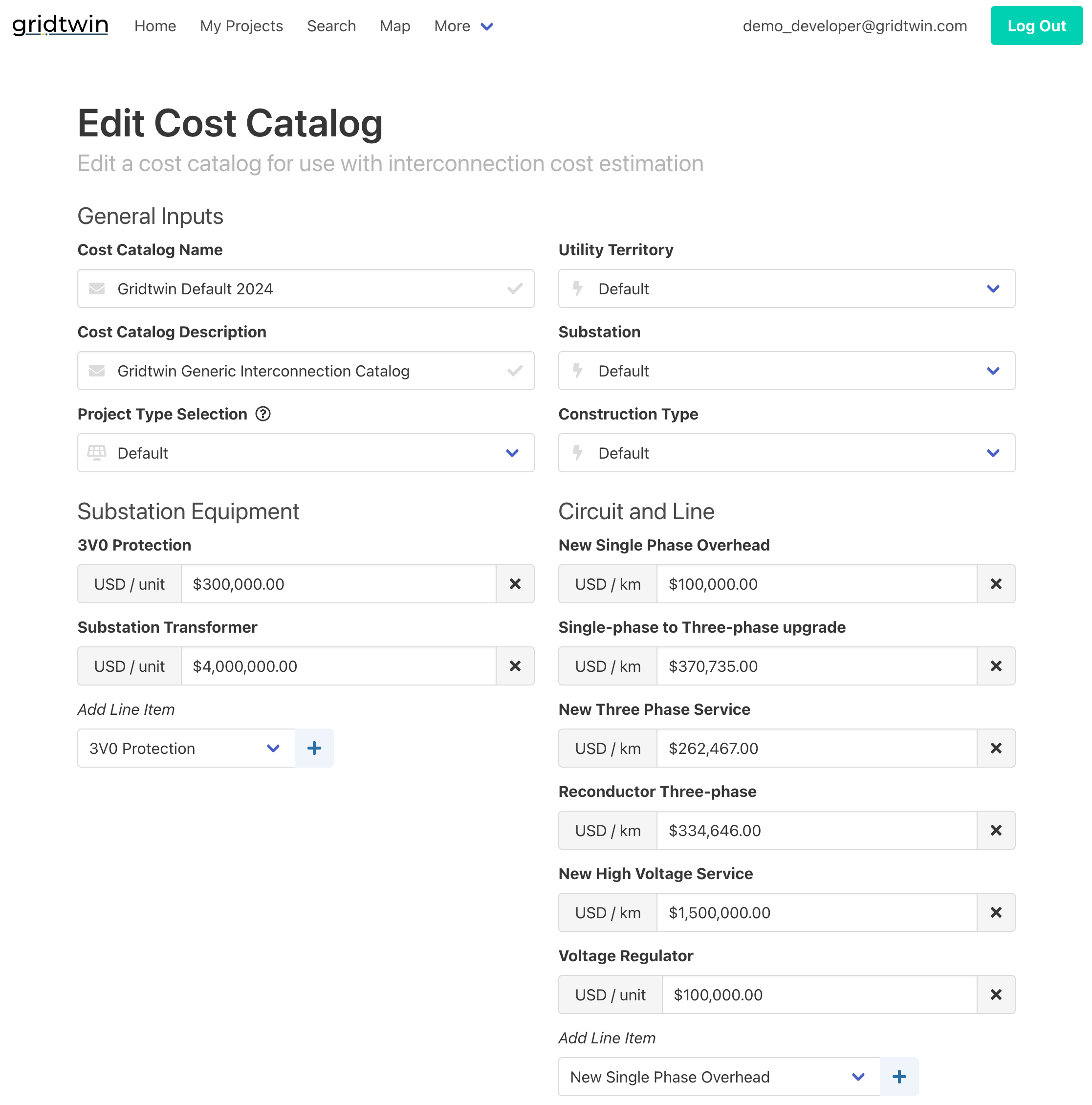
Cost Catalogs
Manage capital and O&M cost items used in interconnection estimates.
- Create catalog entries with units and formulas
- Attach location-specific multipliers
- Review change history and approvals
Steps
- Open Data and Catalogs → Interconnection Cost Catalogs
- Select project type and utility settings
- Add or edit catalog items
- Review and approve changes
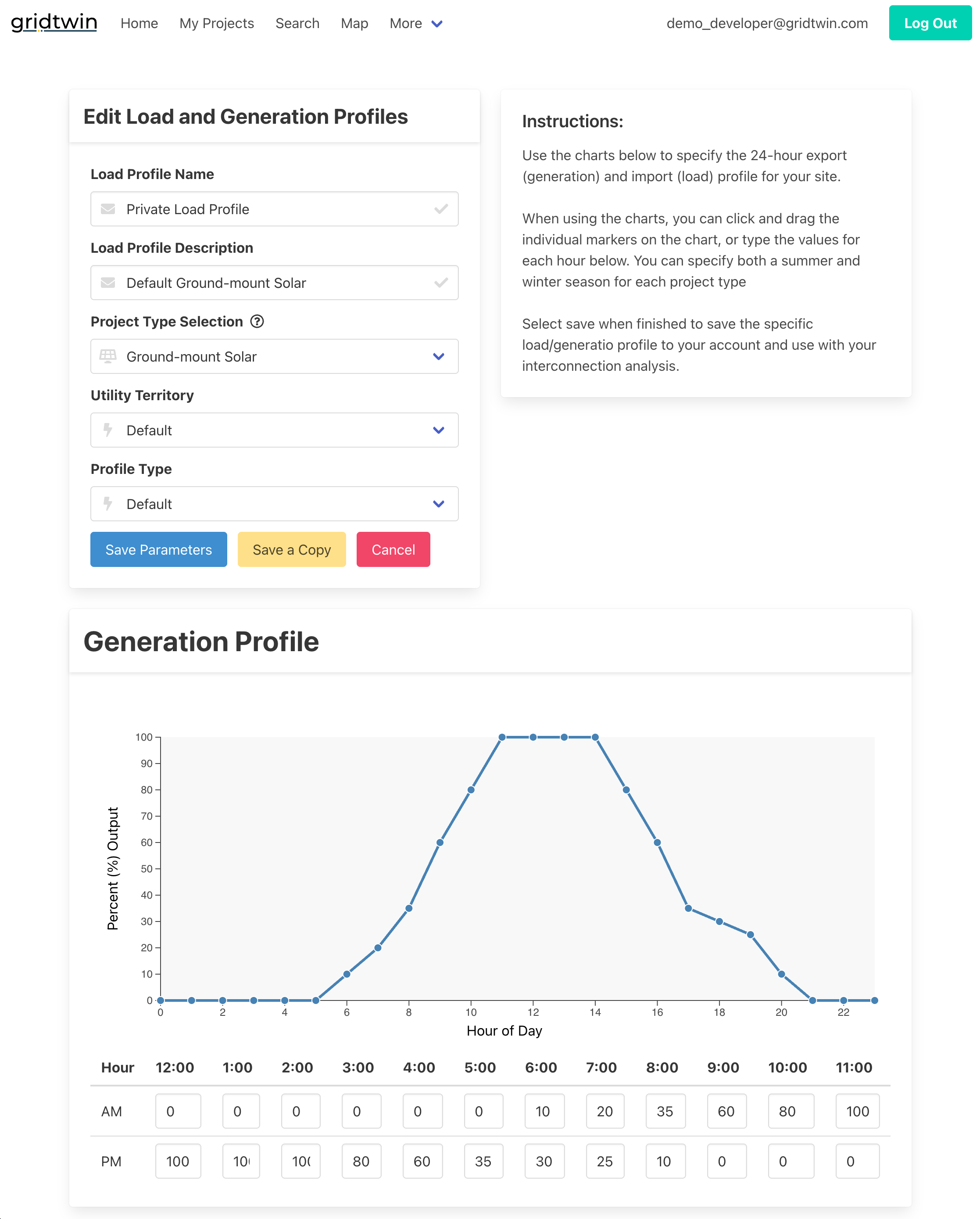
Load Profiles
Upload and manage customer generation and load profiles for planning and screening.
- Create custom load and generation profiles
- Assign project types and utility territories
- Visualize and edit profiles
Steps
- Go to Data and Catalogs → Load and Generation Profiles
- Select project types and utility territories
- Input hourly values for load and generation profiles
- Visualize profiles to verify
- Save and share profiles