Training & Tutorials — Advanced Features
Advanced workflows for using data sources, customizing interconnection estimates, and performing detailed parcel searches.
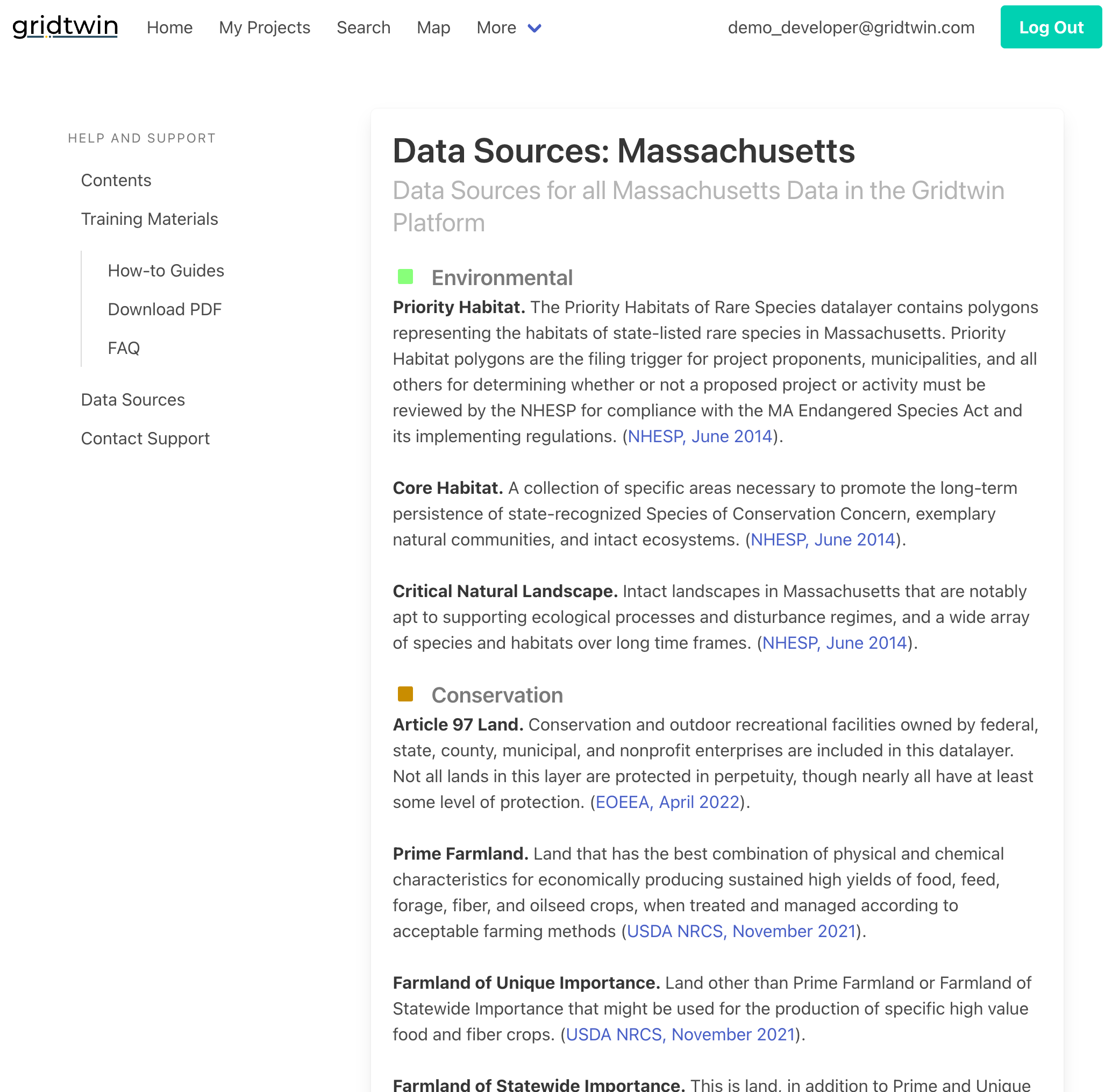
Data Sources and Links
Gridtwin provides transparency into the data sources used for map layers and interconnection analysis.
- View Gridtwin's plethora of data sources under Help and Support
- Browse state-specific data layers to better understand their relevance to your projects
- Links to the original public data sources are readily available
- Contact support to request additional map layers
Steps
- Navigate to Help & Support → Data Sources
- Locate the dataset of interest
- Follow links to original sources
- Check timestamps and versions
Advanced Interconnection Estimates and Options
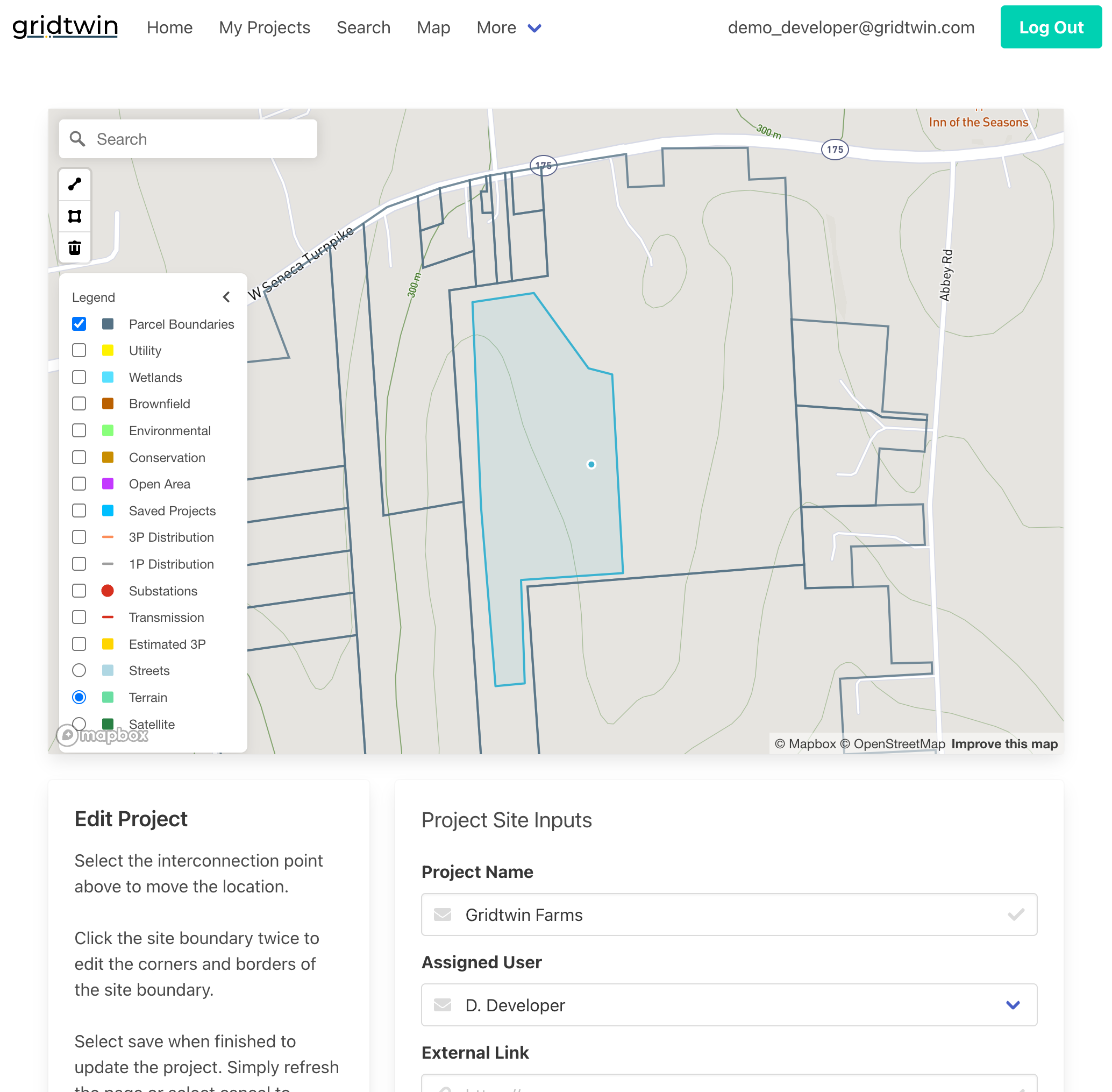
Modify project geometry and assumptions to analyze multiple interconnection scenarios.
- To simulate your project exactly as needed, edit project boundaries and points of interconnection
- Manually draw three-phase or one-phase line extensions
- Analyze multiple interconnection routing options
- Run separate analyses for all prospective scenarios to be fully informed
Steps
- Open a site from ‘My Projects’ to edit geometry, and select ‘Edit’
- Add or adjust candidate POIs and routes
- Create multiple scenario variants
- Run estimates for each scenario
- Compare costs and options
Overriding Local Capacity Values
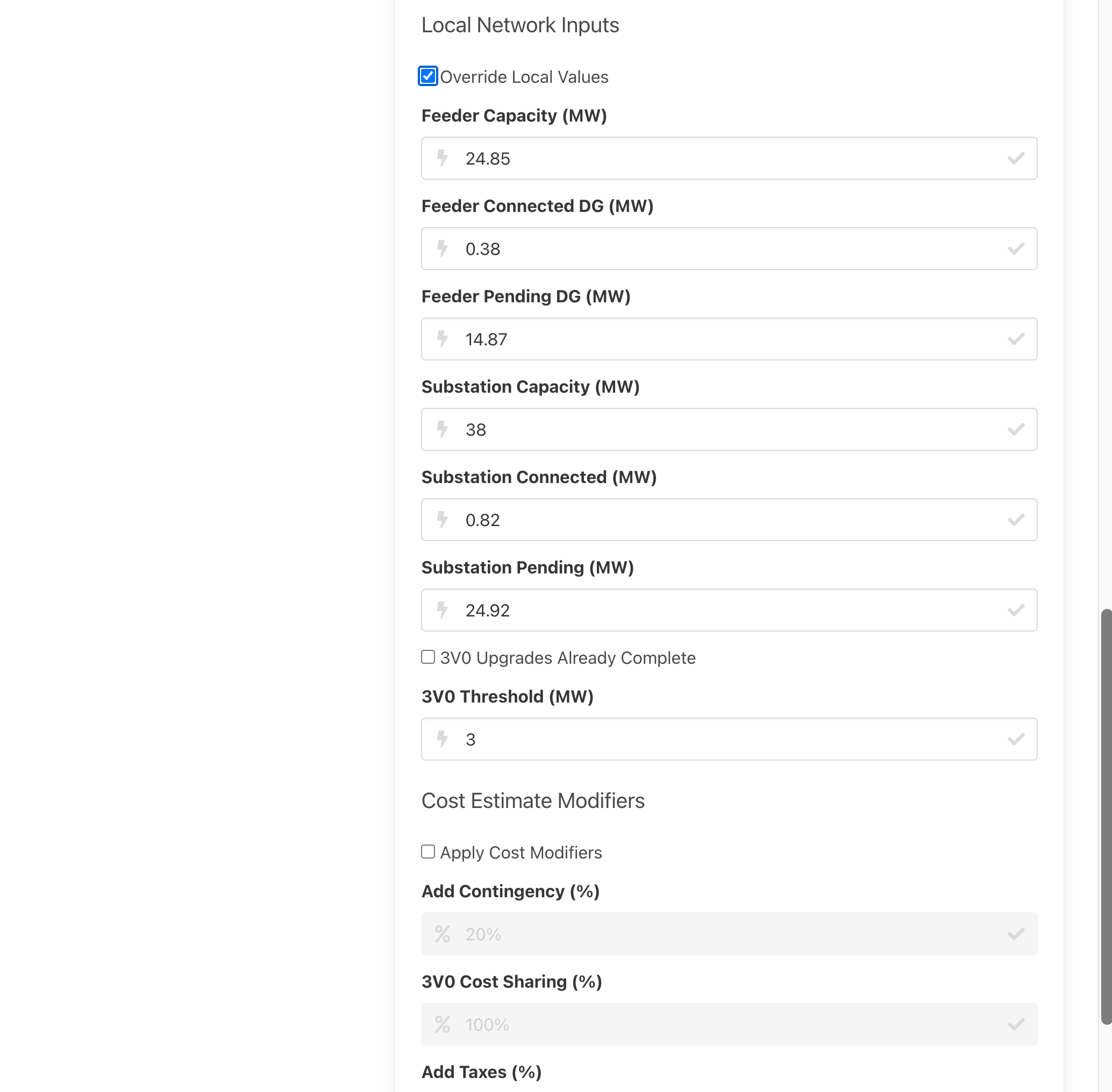
Advanced users can override published feeder and substation values to test alternative planning assumptions.
- Override feeder hosting capacity values
- Adjust connected and pending distributed generation
- Override substation capacity and protection thresholds
- Understand how overrides affect required upgrades
Steps
- Open My Projects → Select Results → Edit
- Choose feeder or substation values
- Edit fields within allowed ranges
- Save and publish overrides
- Re-run analyses with new assumptions
Cost Adjustments and Sharing
Incorporate contingency, taxes, and shared upgrade assumptions into interconnection estimates.
- Add contingency as a percentage of total cost
- Apply tax assumptions to project estimates
- Include 3V0 cost sharing between multiple developers
- Compare adjusted costs across scenarios
Steps
- Open My Projects → Select Results → Edit
- Add contingency percentage
- Apply tax assumptions if applicable
- Configure 3V0 cost sharing
- Save custom edits
- Re-run interconnection simulation with new parameters
Advanced Parcel Searching Tools
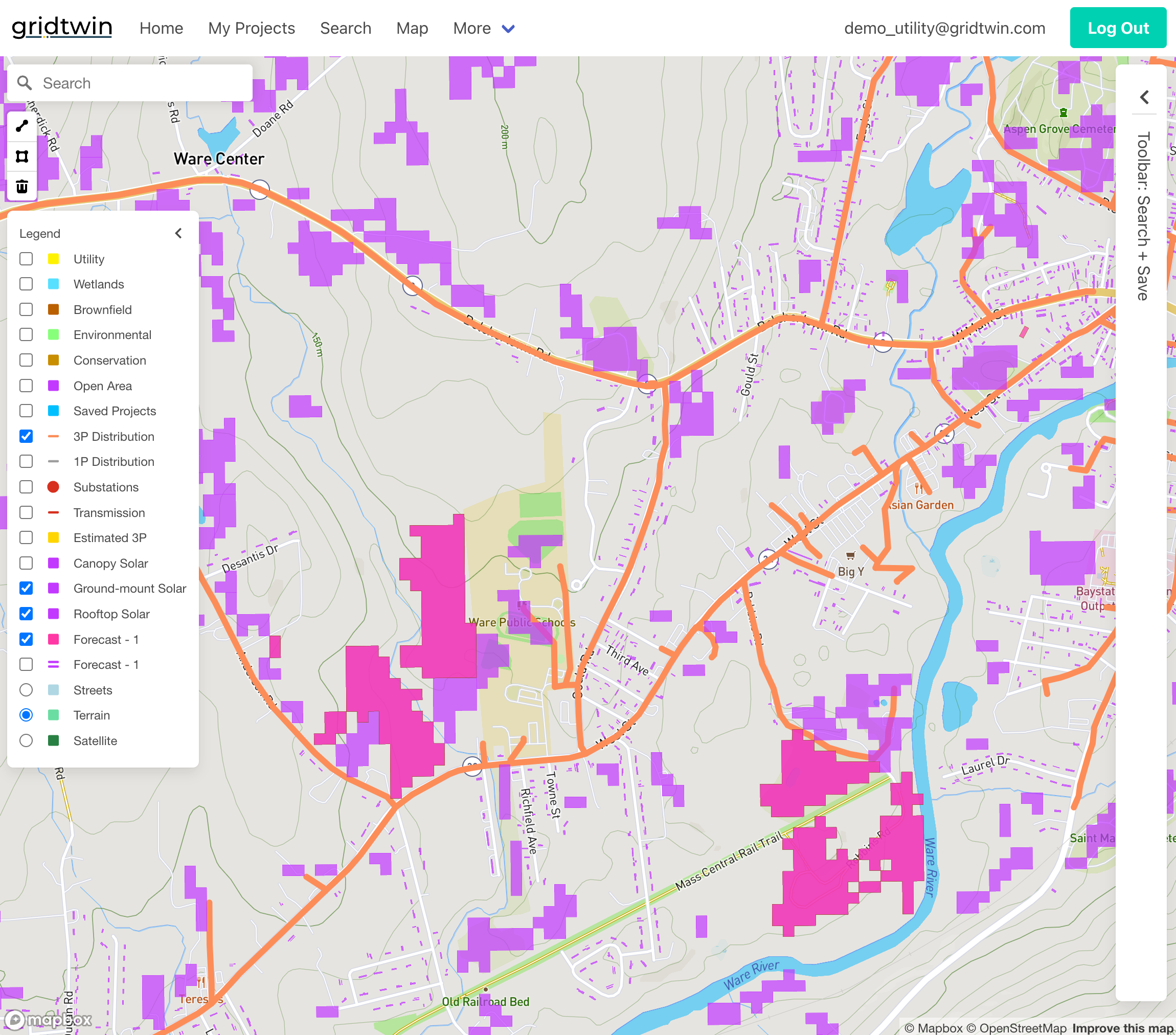
Advanced search tools allow users to define custom search areas and perform map-based filtering.
- Define and save custom geographic search areas
- Search across towns, regions, or custom boundaries
- Filter parcels using map-based criteria
- Edit or delete saved search geometries
Steps
- Define a custom search area on the map
- Add attribute filters and layer masks
- Run the search to generate candidates
- Save or export the result set
- Refine filters and rerun as needed

Feedback and Support
Gridtwin encourages user feedback and provides multiple support resources.
- Access Help and Support documentation for data sourcing and educational materials
- Review FAQs and how-to guides
- Contact support with questions or feature requests
- Provide feedback to improve future releases
Steps
- Open Help & Support
- Browse FAQs and how-to guides
- Share feedback for improvements, questions, or feature requests to support@gridtwin.energy